Master UI/UX Designing in 45 Days – Build Your Design Career

Turn your creative ideas into real career opportunities with our 45-day intensive UI/UX designing course in Trichy. Learn how to design intuitive, user-friendly, and visually engaging digital experiences using practical design methods and real project practice. Build strong hands-on skills, understand user behavior, and gain the confidence needed to step into the professional world of UI/UX design.


 1.jpg)
 1.jpg)


4.7 (350+ Google Reviews)
I'M INTERESTED
Name
Phone Number
How you find us ?
Current profile
Duration
45 Days
Fee
INR 29,999/-
Mode
Online & Offline
Skill Level
Just Beginner
Duration
45 Days
Mode
Online & Offline
Fee
INR 29,999/-
Skill Level
Just Beginner
Trusted by Industry Leaders
Our UI/UX designing course has guided students toward successful careers, helping many of them secure positions in well-known companies including TCS, Infosys, and Accenture.

%201.png&w=256&q=75)


%201.png&w=256&q=75)




%201.png&w=640&q=75)

%201.png&w=640&q=75)


Who Is This Course For?
Aspiring UI/UX designers planning to start their career
Developers looking to develop their design knowledge
Professionals who want to deepen their skills in user-centered design.


Why Choose This Course?
Project-Based Training: Work on real-world design tasks that help you build a strong and impressive portfolio.
Professional Tools: Master industry-standard platforms such as Figma, Adobe XD, and Sketch
Mentorship from Professionals: Learn from skilled designers who bring years of real industry experience.
Career Assistance: Receive support in resume building, optimizing your LinkedIn profile, and accessing job opportunities
Your Personal Learning Hub
Explore your own student portal — track progress, practice daily, stay organized, and manage your entire learning journey in one place.
Course Progress
Track every module, lesson, and milestone with clear
visual progress indicators.
Performance & Support
View your score dashboard, track
improvement, and raise grievances
for quick support.
Practice Zone
Sharpen your skills with coding challenges, MCQs, and regular practice tests.
Support Beyond the Classroom
Tools You'll Use
A clear overview of the essential tools and design approaches applied throughout the project process, showing how designers build, refine, and deliver effective user experiences from concept to completion

Figma

Photoshop
Illustrator

Rive
In Partnership with
Working with top colleges to provide essential full stack development training for student success.

ANJAC, Sivakasi

SFRC, Sivakasi

PSG, Coimbatore
In Partnership with
Working with top colleges to provide essential full stack development training for student success.

ANJAC, Sivakasi

SFRC, Sivakasi
PSG, Coimbatore
Course Syllabus
Modern syllabus with practical learning and interview preparation to make you job-ready.
Week 1: Introduction to UI/UX
- Difference between Ul and UX
- Role of a UI/UX designer
- Design thinking and user-centered design
Week 2: Understanding Users
- User research methods (interviews, surveys)
- Creating user personas and empathy maps
- User journey mapping
Week 3: UX Design Process
- Information architecture
- Wireframing basics
- User flows and task analysis
Week 4: Design Principles
- Visual hierarchy, balance, contrast, and alignment
- Typography, color theory, and grids in Ul
- Consistency in design (Ul patterns)
Week 5: UI Design Tools
- Introduction to Figma
- Basic functionalities and workflow in design tools
Week 6: Wireframing and Low-fidelity Prototypes
- Creating low-fidelity wireframes
- Translating user flows into wireframes
- Best practices for wireframing
Week 7: High-fidelity Prototypes and Interaction Design
- Creating polished designs with real content
- Responsive design principles
- Accessibility in design
- Microinteractions and animation basics
- Using tools like Figma or InVision for interactive prototypes
Week 8: Usability Testing and UI/UX Design in Practice
- Setting up usability tests
- Conducting user testing (remote/in-person)
- Analyzing feedback and making improvements
- Design handoff and collaboration with developers
- Understanding and working with design systems
- Project management in UI/UX
Week 9: UI Design Tools
- Introduction to Photoshop
- Basics of Illustrator
- Essential tools & workflows for graphic/Ul assets
Week 10: Motion UI With Rive
- Introduction to Rive
- Creating basic animations
- Exporting & using animations in Ul
Week 11 - 12: Final Project
- Define a project based on user research (e.g., website, mobile app)
- Apply learned techniques (wireframing, prototyping, testing)
- Present the final product to the class for feedback
Success stories from Our Students
Find out how our learners have accomplished their goals with the help of our training program.
Dharanya Selvaraj
Accenture
In the Information Technology field, staying updated with current skills is crucial, and Code Purple Academy ensured I was well-prepared.Read More
Shanjana Suresh
Billion Face
Code Purple Academy helped me learn new skills and coding languages while also giving me valuable insight into the IT sector.Read More
Sri Hari
Coastal Aquaculture Research Institute Pvt. Ltd
Joining Code Purple Academy has been a game-changer for me. I was able to stay updated with the latest trends in the development field.Read More
Kishore
Billion Face
The Full Stack Development course at Code Purple Academy provided me with a solid foundation in both front-end and back-end technologies.Read More
Subash
ResultueTechno
Code Purple Academy provided exceptional mentor support, daily tasks, and updates, which kept me on track throughout my learning journey.Read More
Sai
TCS
 1.jpg)
Coming from an ECE background, Code Purple Academy helped me transition into coding, making me well-versed in Read More
Siva
Renault Nissan Technology & Business Centre India

Code Purple Academy played a significant role in securing my job at Renault Nissan Technology & Business Centre India.Read More
Andrea Lincy
Haashtag HSI Pvt Ltd
 1.jpg)
Code Purple Academy played a key role in helping me secure my position at Haashtag HSI Pvt Ltd.Read More
S. Mano Priya
Brand Mindz Global Technology

I’m truly grateful for the valuable learning experience I gained through the Front-End & UI/UX Design course at Code Purple Academy.Read More
Amuthapriya K
Slash Lab

My journey with the Code Purple Full Stack Development course was very useful and confidence-building.Read More
Abiilesh
Quest global

Code Purple Academy’s Data Analytics program helped me build strong analytical skills and understand how to work with real-world data.Read More
S.Nandhakumar
Gamantic
 1.jpg)
The Full Stack Development course at Code Purple Academy helped me understand how modern websites are built from start to finish.Read More
Harish T
Ascend Technologies

My experience with the Code Purple Full Stack with Python course was highly beneficial. The training helped me understandRead More
Sathya Sri
Stutzen Technologies
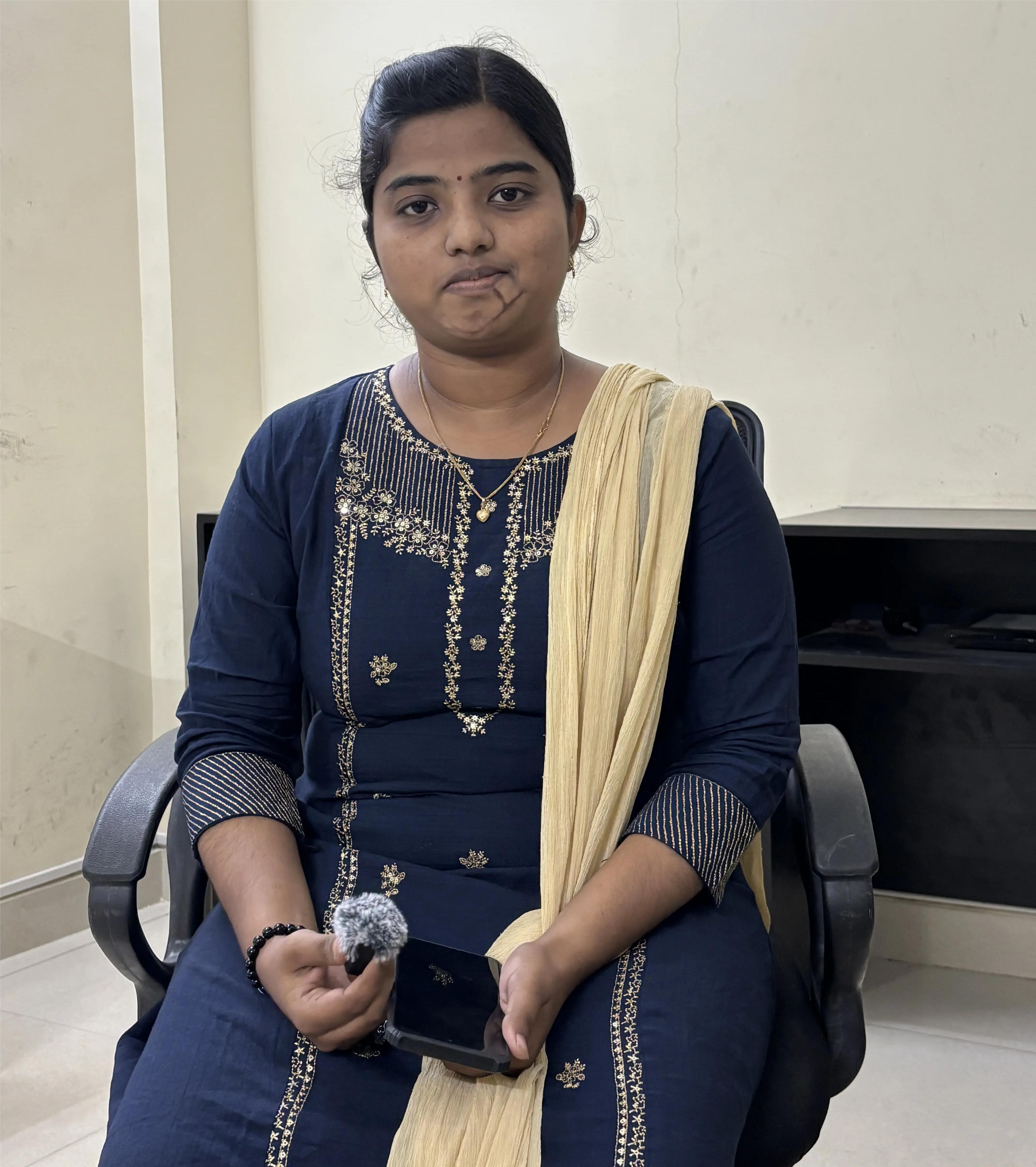
My experience with the Code Purple Full Stack with Python course was highly beneficial. The training helped me understand Read More
Manikandan
Platinum Software

My mom thought I was playing games. Code Purple made sure I was building them.Read More
Nandhini
Shiash Focus on Deliverables

Stack Overflow used to answer my questions. Now it asks mine.Read More
Nikeathana
ML Engineer, Cognizant

My experience with Code Purple Academy’s Data Science course was very valuable and helped me build a strong foundation in data science and machine learning.Read More
Dharshini
Associate Data Scientist, Accenture

Code Purple Academy’s Data Science course gave me a clear understanding of the concepts and practical skills required to work with data.Read More
Menaka
Full Stack Developer, Cognizant

My experience with Code Purple Academy’s Full Stack Development course was very practical and helpful in building my development skills.Read More
Mithra
Software Engineer, Zoho

Code Purple Academy’s Full Stack Development program gave me a strong practical understanding of modern web development.Read More
Aaradhaya
Data Scientist, Honeywell

My journey with Code Purple Academy’s Data Science course was a very informative and rewarding experience.Read More
FAQ's
Most students ask us these questions before joining, so we’ve answered them here. If you have any other doubts, you can contact us anytime.
Read the common questions below to learn more about the course and training approach. For further details, feel free to get in touch with us.
1. What will I learn in a UI/UX Design course?
You’ll gain practical skills in wireframing, prototyping, and building interactive designs. Wireframes let you structure your ideas before adding visuals, and prototypes allow you to test and refine your work. You’ll work with professional tools like Figma and Adobe XD, learning how to choose the right colors, fonts, spacing, and visual hierarchy. Throughout the course, real projects give you hands-on experience so your learning is applied immediately.
By the end of the course, you’ll have a professional portfolio showcasing complete projects, the confidence to explain your design decisions, and the skills to take on freelance work, client projects, or your first UI/UX role. You’ll be ready to create digital experiences that are functional, engaging, and user-friendly.
2. Who can join this UI/UX Design course?
Many students join after noticing small issues in everyday apps or websites, like a confusing checkout page on an e-commerce app or a cluttered layout on a local business website. If you’ve ever thought, “This could be designed better,” you already have the mindset needed for UI/UX design. The course helps you channel that curiosity into professional skills, teaching user research, wireframing, prototyping, visual design, and creating smooth user journeys that make digital experiences simple and enjoyable.
All you need is interest, curiosity, and the willingness to practice consistently. With real-life projects, local examples, and practical exercises, this course prepares you to design responsive websites and mobile apps, build a strong portfolio, and confidently take your first steps toward a UI/UX designer career, freelancing opportunities, or job interviews in the growing digital industry.
3. Do I need coding knowledge to join the UI/UX Design course?
From day one, you’ll get your hands dirty with real projects, just like you’d see in the industry. Experiences like this give you real skills, boost your confidence, and help you build a strong portfolio that will get noticed when applying for jobs or freelance work.
And even though coding isn’t part of this course, you’ll still understand how your designs fit into a developer’s world, so you can work smoothly with them on projects. By the end, you’ll be able to create professional, user-friendly interfaces, understand what users want, and present polished designs that are ready for the real world- all without writing a single line of code.
4. Which tools are covered in this UI/UX design training?
For instance, one student designed a mobile app for a small neighborhood store using Figma, shared it with friends and actual users for feedback, and then polished it to make navigation and features smoother. This practical, project-based approach ensures you learn by doing, while also giving you a portfolio of real designs that showcase your UI/UX skills. You’ll also understand how your designs fit with developers’ workflows, so your prototypes can be turned into functional websites or apps without confusion.
By the end of this training, you’ll not only master the tools but also gain the confidence to create professional, visually appealing, and user-focused interfaces. You’ll be able to test your designs with real users, iterate based on feedback, and produce a portfolio full of polished UI/UX projects that can help you land clients, freelance work, or your first design job - all while learning the software and practices that top designers use every day.
5. What is the duration of the UI/UX Design course?
The course timeline ensures that you move step by step, from grasping foundational principles to applying advanced design techniques, while focusing on creating seamless and user-friendly interfaces. This approach not only strengthens your practical skills but also prepares you to think like a professional UI/UX designer and make informed design decisions.
By the end of the 45-day training, you’ll be equipped to design polished, professional interfaces that prioritize user experience, understand the workflow behind user-centered design, and showcase a strong portfolio of completed projects, all within the comprehensive timeframe of the course.
6. What career opportunities are available after completing the UI/UX Design course?
This course also prepares you for freelance opportunities, remote projects, or collaborations with startups and small businesses that need professional design expertise. The skills you develop, from wireframing and prototyping to usability testing and user research, make you capable of taking on real-world design challenges, building a professional portfolio, and standing out in the competitive UI/UX job market.
By the end of the program, you’ll be ready to pursue a career in UI/UX design with confidence, armed with practical experience, a portfolio of completed projects, and the ability to create digital products that delight users, enhance engagement, and meet client or employer expectations. Whether your goal is to work full-time, freelance, or join innovative startups, this course equips you with the knowledge and hands-on skills to succeed in the growing field of user experience and interface design.
7. Will I get hands-on project experience?
The projects in this course are structured to mirror professional scenarios, allowing you to develop a strong portfolio of completed UI/UX projects by the end of the training. You’ll learn how to think like a designer, solve usability problems, and make decisions that enhance user experience, ensuring that your work reflects both creativity and practical design skills that can be showcased to potential employers or clients.
By the end of the program, you’ll have not only the technical expertise in UI/UX tools and design principles but also the confidence to take on freelance projects, internships, or full-time roles.
8. Do you offer placement support for UI/UX students?
The placement support is practical and hands-on, ensuring that you’re not just learning theory but also gaining real-world insights on how to showcase your work effectively, respond to client feedback, and highlight your problem-solving skills in interviews or freelance projects. This approach helps you stand out in the competitive UI/UX job market and equips you with the tools to secure internships, full-time roles, or freelance assignments.
By the end of the course, you’ll have not only the technical expertise to design intuitive, user-friendly interfaces but also the confidence, strategy, and professional portfolio to land your first UI/UX role, take on freelance clients, or collaborate with startups, making your transition from student to designer smooth and successful.
9. Will I receive a certificate after completing the course?
The certificate reflects the hands-on projects you’ve completed during the course, showing that you’ve applied your knowledge in real design scenarios and can solve usability and interface challenges effectively. It acts as a tangible mark of your training, skills, and creative expertise, giving recruiters and clients confidence in your ability to contribute to professional UI/UX projects.
By earning this certificate, you’ll not only have a credential to showcase your achievements but also a stepping stone to pursue internships, full-time roles, or freelance opportunities in UI/UX design. It demonstrates that you have both the technical knowledge and the practical experience to create seamless digital experiences that meet industry standards, making you career-ready in the growing field of UI/UX design.
10. How do I enroll in the UI/UX Designing Course?
From the first session, you’ll get hands-on experience using essential UI/UX tools like Figma and Adobe XD, creating wireframes, interactive prototypes, and complete interfaces while applying design principles to real-world scenarios. The course also provides continuous support and mentorship, helping you understand how users interact with digital products and how to refine your designs based on practical insights, ensuring that you gain both knowledge and experience.
By completing the enrollment process, you’re taking the first step toward mastering user experience and interface design, building a professional portfolio, and preparing yourself for career opportunities in UI/UX design, freelance projects, or full-time roles, all while gaining the practical skills and confidence needed to succeed in this growing field.